Configure CDR Clearing
Last updated: March 19, 2026
A CDR (Charge Detail Record) is the billing record a CPO sends to an eMSP at the end of a charging session. It contains the session data (duration, energy delivered, cost) that both parties use for reconciliation and invoicing.
CDR Clearing lets you define validation rules that automatically flag CDRs that look incorrect before they're processed. Both CPOs and eMSPs can configure rules. Flagged CDRs are held for review in the CDR Clearing workflow so you can catch data issues before they affect billing.
Navigate to CDRs → Configuration to get started.
How validation works
When a charging session ends, the CPO delivers a CDR to the eMSP via ENAPI. Before the CDR is accepted, ENAPI runs all enabled validation rules against it. Any CDR that fails a rule is flagged and routed to the CDR Clearing workflow for manual review.
Rules are configured per partner — you can apply a default rule set to all partners, or create custom rules for specific connections.
Set up validation rules
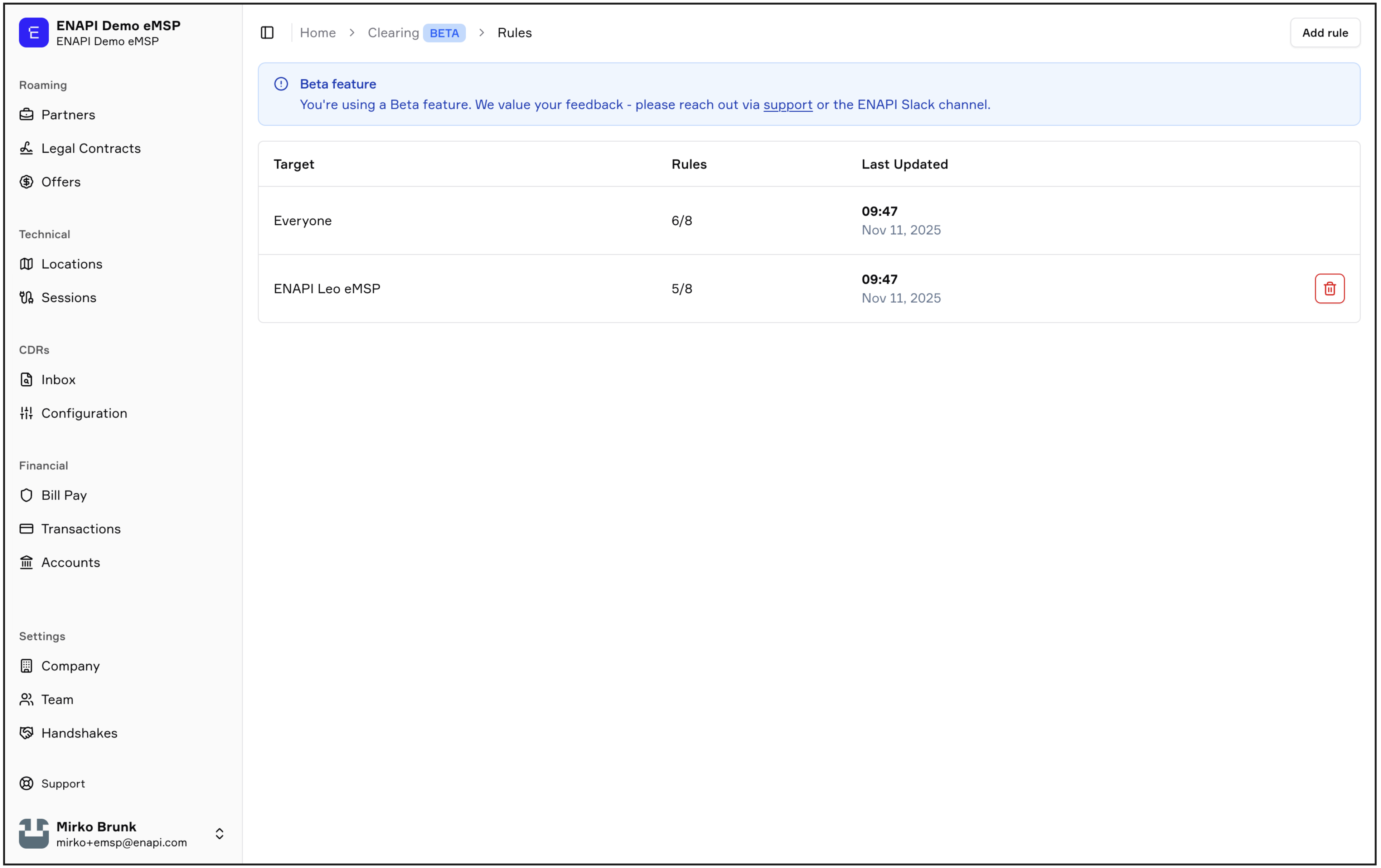
Navigate to CDRs → Configuration
Select Add rule
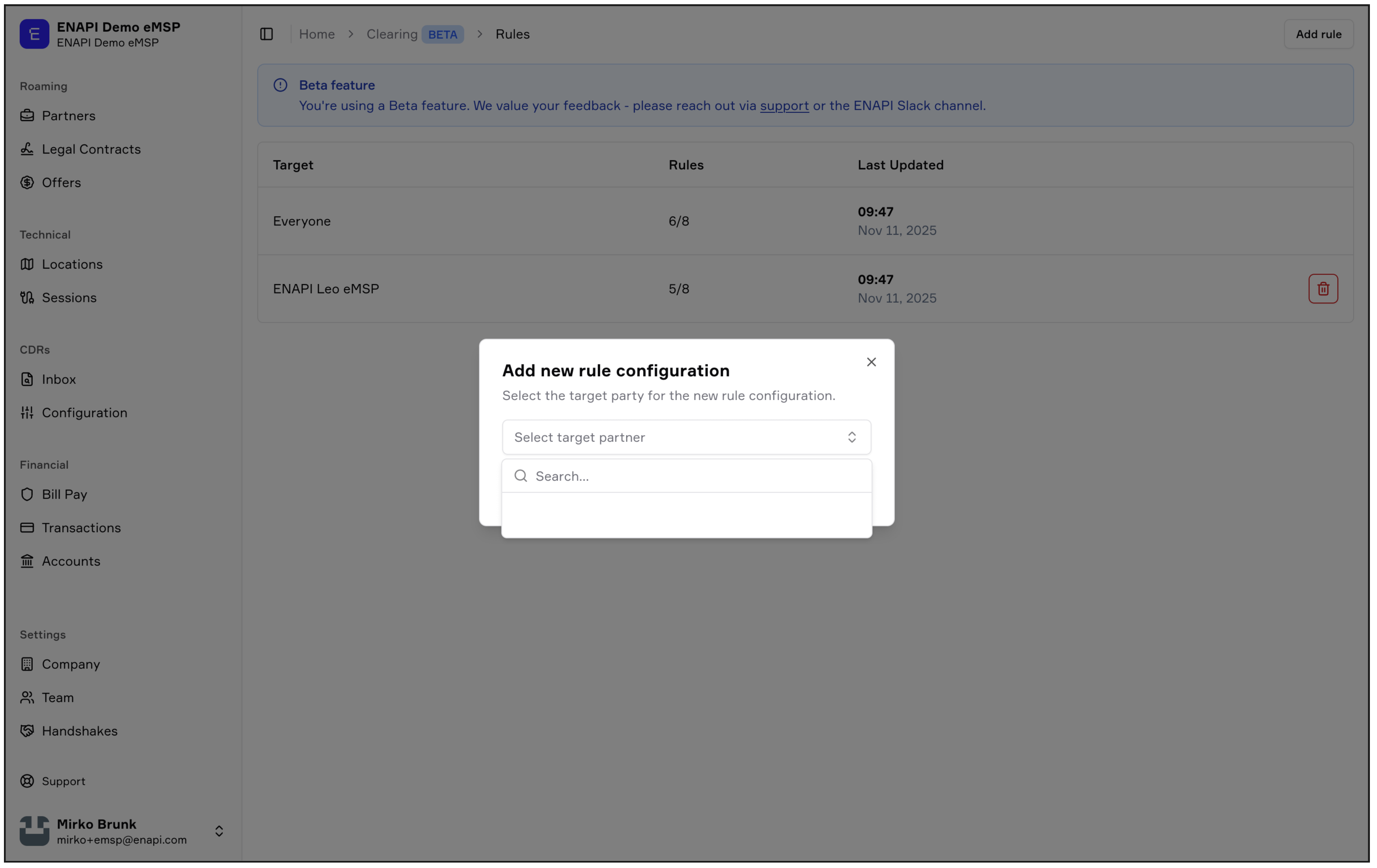
Choose a target partner:
Everyone — applies this rule set as the default for all partners
Specific partner — creates a custom rule set for that connection only
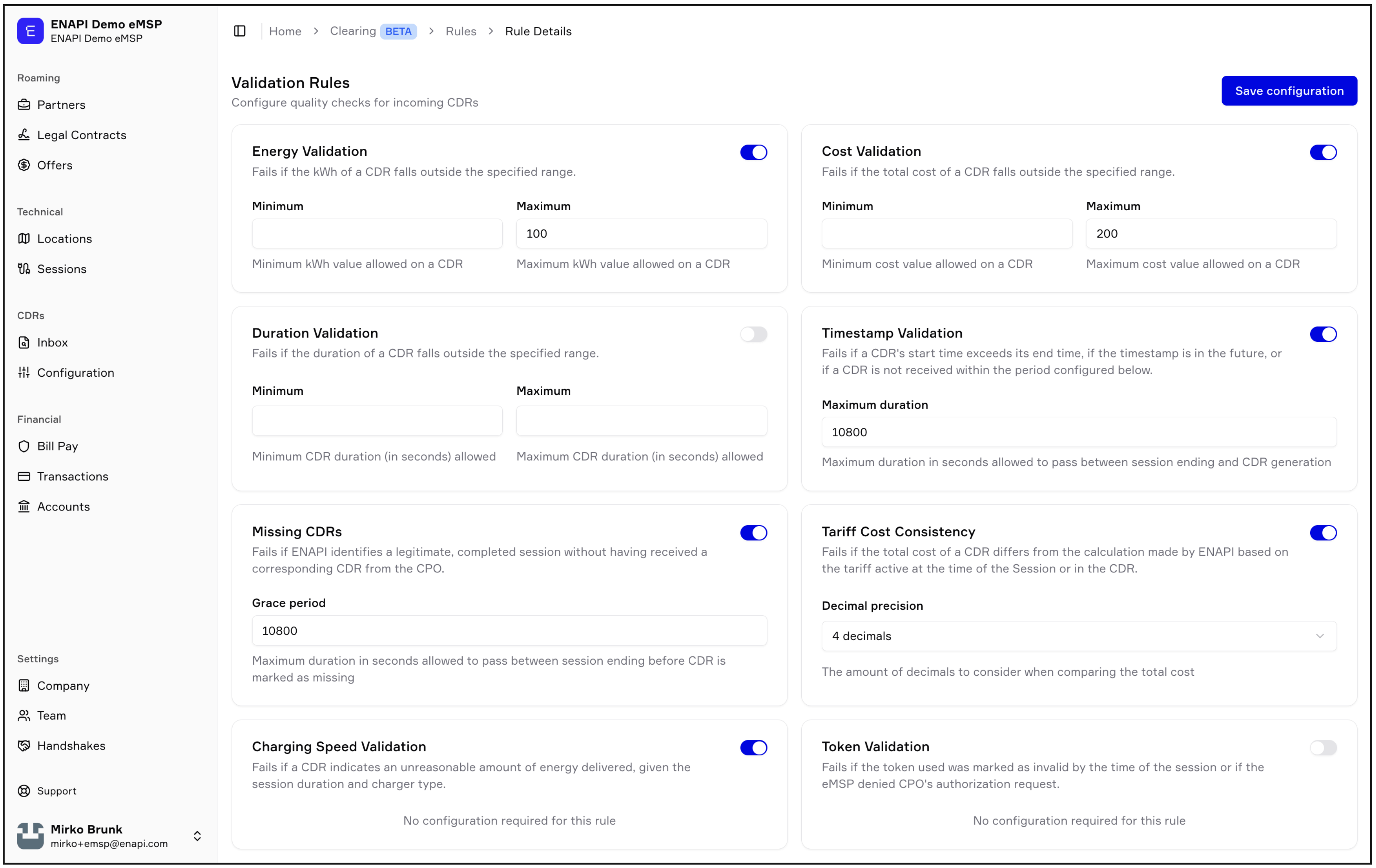
Toggle on the rules you want to enable and configure their parameters
Select Save configuration
Available validation rules
All rules are optional. Enable only the checks that match your quality standards.
Energy validation
Flags a CDR if the energy delivered (kWh) falls outside the range you define.
Parameter | Description |
Minimum | Minimum kWh allowed on a CDR |
Maximum | Maximum kWh allowed on a CDR |
Cost validation
Flags a CDR if the total session cost falls outside the range you define.
Parameter | Description |
Minimum | Minimum cost allowed on a CDR |
Maximum | Maximum cost allowed on a CDR |
Duration validation
Flags a CDR if the session duration falls outside the range you define.
Parameter | Description |
Minimum | Minimum session duration allowed (in seconds) |
Maximum | Maximum session duration allowed (in seconds) |
Timestamp validation
Flags a CDR if any of the following are true:
The session end time is earlier than the start time
The timestamp is in the future
The CDR was not received within the configured time after the session ended
Parameter | Description |
Maximum duration | How long (in seconds) ENAPI waits for a CDR after a session ends before flagging it as late |
Missing CDRs
Flags completed sessions where no CDR has been received from the CPO at all.
Parameter | Description |
Grace period | How long (in seconds) ENAPI waits after a session ends before marking the CDR as missing |
Tariff cost consistency
Flags a CDR if the total cost doesn't match what ENAPI calculated based on the tariff active at the time of the session. A deviation of up to 2% is tolerated.
Parameter | Description |
Decimal precision | Number of decimal places used when comparing costs (2 or 4) — higher precision means smaller rounding differences can trigger a flag |
Charging speed validation
Flags a CDR if the energy delivered is implausible given the session duration and the charger's capacity. A deviation of up to 5% is tolerated.
No configuration required.
Token validation
Flags a CDR if the driver token used to start the session was invalid. This includes tokens that were blocked or expired at the time of the session, tokens for which the eMSP denied the authorization request, or tokens that were never authorized through ENAPI.
No configuration required.
CDR quarantine (CPO only)
CPOs can enable quarantine to automatically hold flagged CDRs before they're sent to eMSP partners.
When quarantine is on, any CDR that fails a validation rule is held back — it won't be delivered to the eMSP until you've reviewed and released it. This gives CPOs the chance to investigate and correct data issues before they reach partners.
To enable: toggle on CDR Quarantine when configuring your validation rules. Quarantined CDRs appear in CDRs → Inbox for review.
Note: CDR quarantine is only available to CPOs, as they control which CDRs are delivered to eMSP counterparties.